
Anchor Visualizer - Bezier Structure Plugin for Illustrator | 1 MB
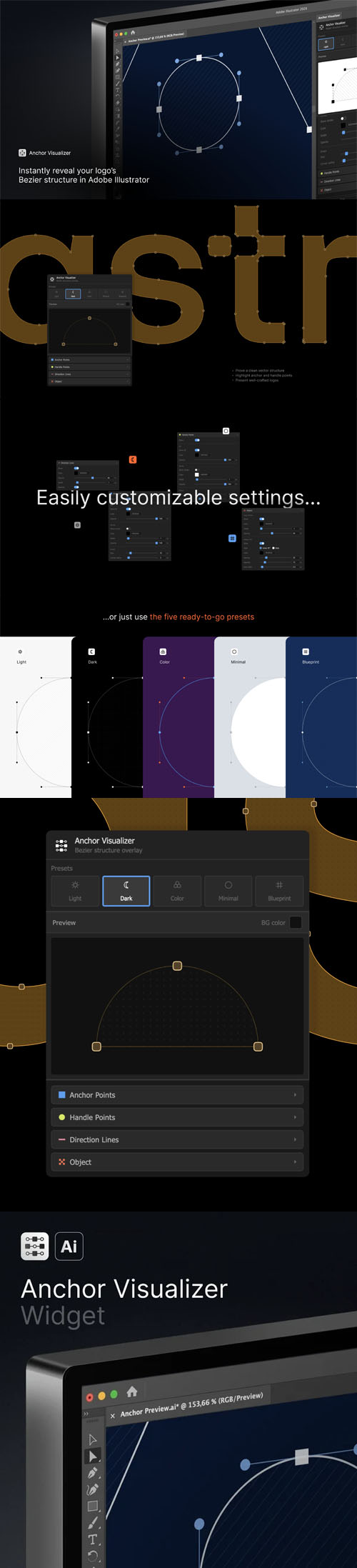
Anchor Visualizer adds a visualization layer on top of your vector objects - showing anchor points, handle points, and direction lines in a fully customizable style.Select any path or compound path, adjust the settings, hit Generate. The plugin creates a separate layer you can style, screenshot, or use in presentations - without touching your original artwork.
Works with simple paths, compound paths, and complex logos.
What you can customize:
- Anchor point fill, stroke, size, and corner radius
- Handle point colors and size
- Direction lines - solid or dashed
- Object stroke overlay
- Pattern fill - diagonal lines or dots
- 5 built-in presets: Light, Dark, Color, Minimal, Blueprint
Great for:
- Portfolio presentations showing your bezier work
- Design process breakdowns and case studies
- Tutorials and educational content
- Quality control - spotting unnecessary anchor points
Requires Adobe Illustrator CC 2019 or newer. macOS and Windows supported.

![Aescripts Mettle FreeForm Pro v1.99.4 [Win/Mac] Plugin for After Effects](https://i.ibb.co/ZN1wLgb/3ewr.jpg)



Users of Guests are not allowed to comment this publication.